
Nothing is uploaded
The tracer runs on your own machine, inside this tab — on every core your browser allows. Close it, and nothing of your image is anywhere but your disk.
Free to start · Private · Runs in your browser
Turn logos, sketches, icons and photos into crisp vector art you can blow up to the size of a billboard. SVG, PDF, EPS or DXF — for print, cutting plotters and lasers. The image never leaves your computer.
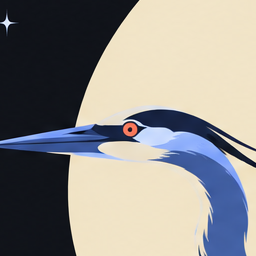
This picture is a PNG. The lines are the SVG Vectorize traced from it.
Why vector
A PNG is a grid of coloured squares — enlarge it and the squares show. An SVG is a set of shapes — enlarge it as far as you like and every edge stays clean. Scroll, and look at the heron's eye.
Presets
Seven presets, each tuned for a kind of image — and Auto, which looks at yours and picks one. Here is the same heron through six of them; the seventh, Clipart, is for drawn artwork and stickers. Drag across the picture to compare it with the original.

Flat marks, icons and interfaces: a few colours, crisp edges.
What you get
The tracer runs on your own machine, inside this tab — on every core your browser allows. Close it, and nothing of your image is anywhere but your disk.
Transparent background clears whatever the edge is made of — flat colour, paper, even wood grain. A magic wand takes what is left.
SVG for the web, PDF and EPS for print, DXF for plotters, vinyl cutters and lasers — with single-stroke centre lines for engraving.
Detail, palette and background are a slider away, and the trace updates as you move it. Expert mode opens every setting the tracer has.
Drop a folder's worth and it becomes a batch: each image traced, each one adjustable, all of them downloaded as one ZIP.
How it works
PNG, JPEG, GIF, BMP or WebP — dropped, pasted, or from a URL. Several at once make a batch.
Each is shown as your picture traced that way, so you choose by looking. Or let Auto choose.
SVG, PDF, EPS or DXF, at the size and units you need — or a ZIP of the whole batch.
A raster is a guess at a shape. A vector is the shape itself.
For AI and for developers
The tracer this page runs, reached three other ways. Each counts against the same allowance as the page.
Claude gets the API explained, the presets and options, and a ready-to-run request for your image — with a short-lived credential for your account. Neither the picture nor the drawing passes through the chat.
The same WebAssembly, in a browser or in Node, with the PDF, EPS and DXF writers.
$ npm i @dudko.dev/vectorize-core
$ npx @dudko.dev/vectorize-cli logo.pngFor pipelines: post an image, get the drawing back in any of the four formats.
POST /api/v1/traceQuestions
No. The tracer is WebAssembly that runs on your own machine, inside the browser tab. The only thing that leaves it is a count of images, sent to the sign-in service — never the picture or the drawing made from it.
Free to start. A few images need no account at all, and a free account adds more. When that is not enough, a paid plan lifts the limit — and the image still never leaves your browser, only the count does.
In: PNG, JPEG, GIF, BMP and WebP — dropped, pasted, or from a URL. Out: SVG for the web and for editing, PDF and EPS for print, DXF for CAD, plotters and laser cutters.
A photo becomes a painting made of flat shapes — handsome on a poster, a sticker or a T-shirt, but not a photograph you can retouch. Logos, icons, drawings and scans come out cleanest, and a small logo pulled off a web page is enlarged before it is traced.
Yes. Export DXF or SVG. The Line art preset gives one ink with transparent paper, and the centre-line mode draws single strokes instead of outlines, which is what engraving and plotting want.
Yes. Transparent background clears whatever the picture's edge is made of — a flat colour, paper, even wood grain — and a magic wand takes whatever is left with a click.
Drop several and they become a batch, each traced with its own settings and downloaded together as one ZIP. For thousands, the command-line tool and the HTTP API do the same in a script.
Personal and other non-commercial use is free under PolyForm Noncommercial 1.0.0, and there is a 32-day trial for trying it out at work. Commercial use needs a licence — write to sergey@dudko.dev.
Drop to vectorize
It stays on your computer.
